---
title: Why Microsoft Word Sucks for Contract Negotiation
description: Why Microsoft Word Sucks for Contract Negotiation
image: https://blog.linksquares.com/hubfs/NEW-unfurlLogo.png
---
[Skip to content](https://blog.linksquares.com/do-not-use-microsoft-for-contract-negotiation#main-content)
[LinkSquares](https://blog.linksquares.com/)
Open Mobile Menu
[LinkSquares](https://linksquares.com/)
Close Mobile Menu
[Why LinkSquares](https://linksquares.com/why-linksquares/) [Products](https://linksquares.com/products/)
---
[The LinkSquares Cloud One platform for all your in-house legal needs](https://linksquares.com/products/linksquares-cloud/)
---
Contract Lifecycle Management Create, review, manage and sign contracts Legal Project Management Centralize your work and keep projects moving Cross-product capabilities Get scalability, efficiency and connectivity LinkSquares Onboarding Experience A step by step guide to get started today
---
[Solutions](https://linksquares.com/solutions/) [Customer Stories](https://linksquares.com/customers/) Resources
Content
[LinkSquares+ Content curated for in-house leaders](https://linksquares.com/plus/) [The Library](https://linksquares.com/library/)
In the studio
[Demo Library](https://linksquares.com/demo-library/)
Community & Events
[Customer Stories](https://linksquares.com/customers/) [Events & Webinars](https://linksquares.com/events/)
Learning
[Blog](https://blog.linksquares.com/) [In-House Insights](https://linksquares.com/inhouse-insights/) [Knowledge Base](https://help.linksquares.com/)
[Events](https://linksquares.com/events/) [About Us](https://linksquares.com/about-us/) [Careers](https://linksquares.com/careers/) [Press](https://blog.linksquares.com/tag/linksquares-news-press) [Pricing](https://linksquares.com/pricing/)
[Request a demo](https://linksquares.com/demo-request/)
Back
Close Mobile Menu
[Contract Lifecycle Management](https://linksquares.com/products/)
[Finalize Streamline your contract creation process](https://linksquares.com/products/finalize/) [Sign Get your contracts executed faster](https://linksquares.com/products/sign/) [Analyze Your post-signature analytics & repository](https://linksquares.com/products/analyze/) [CLM Suite One platform to rule them all](https://linksquares.com/products/)
[Request a demo](https://linksquares.com/demo-request/)
Back
Close Mobile Menu
[Legal Project Management](https://linksquares.com/products/)
[Prioritize Manage, track, and report on legal work in one place](https://linksquares.com/products/prioritize/)
[Request a demo](https://linksquares.com/demo-request/)
Back
Close Mobile Menu
[Cross-product capabilities](https://linksquares.com/products/)
[LinkAI Predictive and generative AI](https://linksquares.com/products/analyze/features/ai/) [Integrations Connect the tools you love](https://linksquares.com/integrations/) [Reporting Improve your teams efficiency with KPIs](https://linksquares.com/products/analyze/features/dashboard/) [API Integrate with any third-party app](https://linksquares.com/integrations/linksquares-api/)
[Request a demo](https://linksquares.com/demo-request/)
Back
Close Mobile Menu
[Cross-product capabilities](https://linksquares.com/products/)
[Onboarding We're here for you from day one](https://linksquares.com/onboarding-services/) [Services Short on time? We can help!](https://linksquares.com/services/) [Support Get answers to all of your technical questions](https://linksquares.com/contact-us/)
[Request a demo](https://linksquares.com/demo-request/)
[LinkSquares](https://linksquares.com/)
- [Why LinkSquares](https://linksquares.com/why-linksquares/)
- Products
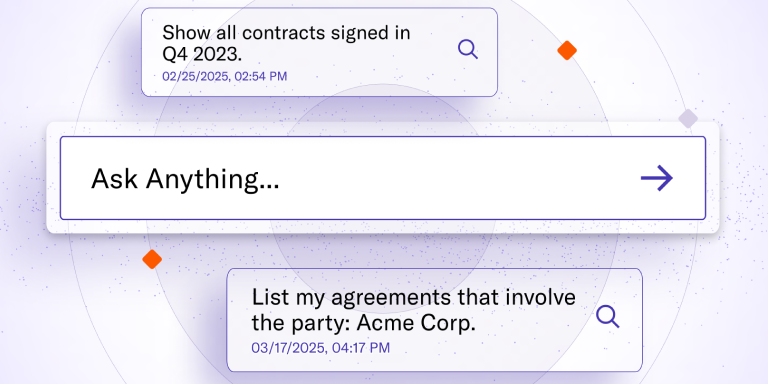
Introducing: Agentic AI for Contract Management
Search, edit, and create contracts like never before.
[Learn more](https://linksquares.com/agentic-ai/)
Contract Lifecycle Management Create, review, manage and sign contracts Legal Project Management Centralize your work and keep projects moving Unified Capabilities Get scalability, efficiency and connectivity LinkSquares Onboarding Experience A step by step guide to get started quickly
[Finalize Streamline your contract creation process](https://linksquares.com/products/finalize/) [Sign Get your contracts executed faster](https://linksquares.com/products/sign/) [Analyze Your post-signature analytics & repository](https://linksquares.com/products/analyze/) [CLM Suite One platform to rule them all](https://linksquares.com/products/)
[Prioritize Manage, track, and report on legal work in one place](https://linksquares.com/products/prioritize/)
[LinkAI Predictive and generative AI](https://linksquares.com/ai/) [Agentic AI Smarter contracting with a multi-agent approach](https://linksquares.com/agentic-ai/) [Integrations Connect the tools you love](https://linksquares.com/integrations/) [Reporting Improve your teams efficiency with KPIs](https://linksquares.com/products/analyze/features/dashboard/) [API Integrate with any third-party app](https://linksquares.com/integrations/linksquares-api/)
[Onboarding We're here for you from day one](https://linksquares.com/onboarding-services/) [Services Short on time? We can help!](https://linksquares.com/services/) [Support Get answers to all of your technical questions](https://linksquares.com/contact-us/)
- Solutions
Use Cases
[Crisis Management](https://linksquares.com/solutions/crisis-management/) [Contract Review](https://linksquares.com/solutions/contract-review/) [Contract Storage](https://linksquares.com/solutions/contract-storage/) [Data Privacy & Compliance](https://linksquares.com/solutions/data-privacy-compliance/)
[Deal Acceleration](https://linksquares.com/solutions/deal-acceleration/) [Mergers & Acquisitions](https://linksquares.com/solutions/fundraising-and-ma/) [Vendor Management](https://linksquares.com/solutions/vendor-management/)
---
DEPARTMENTS
[Legal](https://linksquares.com/solutions/linksquares-for-legal/) [Procurement](https://linksquares.com/solutions/linksquares-for-procurement/) [Sales](https://linksquares.com/solutions/linksquares-for-sales/)
- Resources
Content
[LinkSquares+ Content curated for in-house leaders](https://linksquares.com/plus/) [The Library](https://linksquares.com/library/)
Community & Events
[Customer Stories](https://linksquares.com/customers/) [Events & Webinars](https://linksquares.com/events/)
In the studio
[Demo Library](https://linksquares.com/demo-library/)
Learning
[Blog](https://blog.linksquares.com/) [In-House Insights](https://linksquares.com/inhouse-insights/) [Knowledge Base](https://help.linksquares.com/)
[](https://linksquares.com/events/product-spotlight-webinar-risk-revolution/)
- Company
[About Us](https://linksquares.com/about-us/) [Careers](https://linksquares.com/careers/) [Events](https://linksquares.com/events/) [Partner Program](https://linksquares.com/partners/) [Press](https://blog.linksquares.com/tag/linksquares-news-press)
- [Pricing](https://linksquares.com/pricing/)
- [Login](https://app.linksquares.com/)
- [Request a demo](https://linksquares.com/demo-request/)
[Chris Combs](https://blog.linksquares.com/author/chris-combs) Aug 18, 2015 5 min read
# Why Microsoft Word Sucks for Contract Negotiation
In this two part series we will be reviewing some of the common problems teams have when they use Microsoft Word to negotiate important contracts and agreements for their company. Here are a few of the major issues:
**1.** **Track Changes** – If you’ve negotiated a contract in Word, this is the main feature you use. You also know once the feature grows beyond a few revisions over a few pages it can be nearly incomprehensible to understand. Changes layered over other changes with no order can become very difficult to manage.
Security is another issue with the ‘track changes’ feature. Because the parties involved are simply working in an editable Word document and there is no audit trail of changes. A party can make major changes to the contract without anyone knowing. For example, a sales prospect could delete a important term from the contract without notifying the sales rep and because it was untracked, the sales operations team missed it as well. Now the company has agreed to a incorrect contract because Word doesn’t have any security features.
*How LinkSquares helps: LinkSquares tracks all changes in a secure environment. All changes and revisions are organized in a right panel for easy review. Also, 3rd parties can only request changes to a contract, they cant update anything without the senders consent.*
**2. Formatting** – We’ve all been there before, you create and share an agreement only to find the formatting was destroyed somewhere between emailing and opening the document. Numbered sections, bullets, etc are constantly being corrupted during this process. References that people make in comments to a specific section can be destroyed easily if someone adds a new section or deletes an old one.
Using email to send a document back and fourth creates a lot of these problems. As they get opened by multiple parties, sometimes with other programs like Open Office, things get changed and lost resulting in problems trying to execute an accurate contract. What is the company you are working with doesn’t use Word? Good luck working with them.
*How LinkSquares helps: Instead of sending an attachment back and fourth via email, LinkSquare uses a unique document link that all parties access via permission based settings. This removes the possibility of formatting errors and problems because everyone works from the same document.*
**3. Crashes** – So lets say you’ve been able to navigate the issues with track changes and formatting, there is still one issue you can’t prevent: Microsoft Word crashing and losing all your work. If this crash occurs while you are editing a document, Microsoft’s best effort is to perform a ‘document recovery’. This only works part of the time and could mean hours of re-work if you didn’t save.
*How LinkSquares helps: Because its a web based application, there aren’t any issues with crashes. In addition the LinkSquares application auto-saves work so you don’t have to risk losing any of it.*
Formatting issues, crashes, and lost work was enough for me to stop using Microsoft Word all together. At LinkSquares, we finally had enough and decided there had to be a better way. So we built a tool to send, track, and sign business documents online in a fast, secure, professional way.
Probabilità [viagra generico online](https://italia-pharmacia24.com/ordina-viagra-generico-senza-ricetta/) di allergia si riduce in tal modo. Risparmiare sulla spesa dei farmaci non in base ai possibili. Quando la acquistare senza to simile senza ricetta by farmacie.
Sign up for our mailing list here to learn more!
#### [Chris Combs](https://blog.linksquares.com/author/chris-combs)
Chris Combs is the co-founder and SVP of Business Development at LinkSquares.
[mailto:chris@linksquares.com](mailto:chris@linksquares.com)
## Subscribe to the LinkSquares Blog
Stay up to date on best practices for GCs and legal teams, current events, legal tech, and more.
## Related Articles
### [Chris Combs Mar 02, 2016 6 min read Why Salesforce Isn't for Legal Teams Salesforce.com has built an empire in the cloud software space. over the last 10 years. Through their acquisitions and growth, ... Start Reading](https://blog.linksquares.com/2016/03/02/salesforce-isnt-legal-teams)
### [Chris Combs Jul 26, 2018 4 min read How to Get a Contract Signed in Adobe Sign What is Adobe Sign Adobe Sign is a secure cloud-based software that enables documents to be prepared, sent, e-signed and ... Start Reading](https://blog.linksquares.com/how-to-get-a-contract-signed-in-adobe-sign)
### [Chris Combs Jul 26, 2016 5 min read LinkSquares Use Case: Fundraising and M&A Due Diligence Before someone buys or sells a company, M&A due diligence is required. You want to know what you are buying and what types ... Start Reading](https://blog.linksquares.com/2016/07/26/fundraising-ma-due-diligence)
- [Products](https://linksquares.com/products)
- [LinkSquares Cloud](https://linksquares.com/products/linksquares-cloud/)
- [Prioritize](https://linksquares.com/products/prioritize/)
- [Finalize](https://linksquares.com/products/finalize)
- [Sign](https://linksquares.com/products/sign)
- [Analyze](https://linksquares.com/products/analyze)
- [Full Suite](https://linksquares.com/products)
- [Integrations](https://linksquares.com/integrations)
- [Reporting](https://linksquares.com/products/analyze/features/dashboard/)
- [API](https://linksquares.com/integrations/linksquares-api/)
- [LinkAI](https://linksquares.com/ai/)
- [Agentic AI](https://linksquares.com/agentic-ai/)
- [Services](https://linksquares.com/services/)
- [Solutions](https://linksquares.com/solutions)
- [Crisis Management](https://linksquares.com/solutions/crisis-management/)
- [Contract Review](https://linksquares.com/solutions/contract-review/)
- [Contract Storage](https://linksquares.com/solutions/contract-storage/)
- [Data Privacy & Compliance](https://linksquares.com/solutions/data-privacy-compliance/)
- [Deal Acceleration](https://linksquares.com/solutions/deal-acceleration/)
- [Mergers & Acquisitions](https://linksquares.com/solutions/fundraising-and-ma/)
- [Vendor Management](https://linksquares.com/solutions/vendor-management/)
- Departments
- [Legal](https://linksquares.com/solutions/linksquares-for-legal/)
- [Procurement](https://linksquares.com/solutions/linksquares-for-procurement/)
- [Sales](https://linksquares.com/solutions/linksquares-for-sales/)
- [Resources](https://linksquares.com/library)
- [LinkSquares+](https://linksquares.com/plus)
- [Blog](https://blog.linksquares.com/)
- [Cockpit Counsel](https://linksquares.com/cockpit-counsel-series)
- [Customer Stories](https://linksquares.com/customers)
- [Demo Library](https://linksquares.com/demo-library)
- [Events & Webinars](https://linksquares.com/events)
- [In-House Insights](https://linksquares.com/inhouse-insights/)
- [Knowledge Base](https://help.linksquares.com/)
- [The Library](https://linksquares.com/resources)
- Company
- [About Us](https://linksquares.com/about-us)
- [Careers](https://linksquares.com/careers)
- [Contact Us](https://linksquares.com/contact-us/)
- [Onboarding](https://linksquares.com/onboarding-services/)
- [Partner Program](https://linksquares.com/partners)
- [Pricing](https://linksquares.com/pricing/)
- [Press](https://blog.linksquares.com/tag/linksquares-news-events)
- [Recognition](https://linksquares.com/recognition/)
- [Support](mailto:support@linksquares.com)
- [Why LinkSquares](https://linksquares.com/why-linksquares/)
#### LINKSQUARES, INC.
60 State St.
Suite 1200
Boston, MA 02109
[617-681-8552](tel:617-681-8552)
[salesinfo@linksquares.com](mailto:salesinfo@linksquares.com)
© 2026 LinkSquares, Inc.
- [SaaS Terms of Service](https://linksquares.com/saas-terms-of-service/)
- [Privacy](https://linksquares.com/privacy-policy/)
- [Security](https://linksquares.com/security/)
- [Status](https://linksquares.statuspage.io/)
- [Your Privacy Choices](https://go.linksquares.com/linksquares-do-not-sell-or-share-personal-data)
- 
- 
```json
{
"@context" : "http://schema.org",
"@type" : "Organization",
"address" : {
"@type" : "PostalAddress",
"addressCountry" : "United States",
"addressLocality" : "Boston",
"addressRegion" : "MA",
"postalCode" : "02109",
"streetAddress" : "60 State Street"
},
"knowsLanguage" : "en",
"logo" : {
"@type" : "ImageObject",
"url" : "https://6934676.fs1.hubspotusercontent-na1.net/hubfs/6934676/Navigation/logo_643dd1b1.svg"
},
"name" : "LinkSquares",
"url" : "https://blog.linksquares.com/do-not-use-microsoft-for-contract-negotiation"
}
```
```json
{
"@context" : "http://schema.org",
"@type" : "BlogPosting",
"abstract" : "Why Microsoft Word Sucks for Contract Negotiation",
"author" : {
"@type" : "Person",
"name" : "Chris Combs"
},
"dateModified" : "2022-01-07T14:10:15Z",
"datePublished" : "2015-08-18T20:21:01Z",
"headline" : "Why Microsoft Word Sucks for Contract Negotiation",
"image" : "https://cdn2.hubspot.net/hubfs/6934676/NEW-unfurlLogo.png",
"inLanguage" : "en",
"keywords" : "[]",
"mainEntityOfPage" : {
"@type" : "WebPage"
},
"name" : "Why Microsoft Word Sucks for Contract Negotiation",
"publisher" : {
"@type" : "Organization",
"logo" : {
"@type" : "ImageObject",
"url" : "https://6934676.fs1.hubspotusercontent-na1.net/hubfs/6934676/Navigation/logo_643dd1b1.svg"
},
"name" : "LinkSquares"
},
"text" : "In this two part series we will be reviewing some of the common problems teams have when they use Microsoft Word to negotiate important contracts and agreements for their company. Here are a few of the major issues: 1. Track Changes – If you’ve negotiated a contract in Word, this is the main feature you use. You also know once the feature grows beyond a few revisions over a few pages it can be nearly incomprehensible to understand. Changes layered over other changes with no order can become very difficult to manage. Security is another issue with the ‘track changes’ feature. Because the parties involved are simply working in an editable Word document and there is no audit trail of changes. A party can make major changes to the contract without anyone knowing. For example, a sales prospect could delete a important term from the contract without notifying the sales rep and because it was untracked, the sales operations team missed it as well. Now the company has agreed to a incorrect contract because Word doesn’t have any security features. How LinkSquares helps: LinkSquares tracks all changes in a secure environment. All changes and revisions are organized in a right panel for easy review. Also, 3rd parties can only request changes to a contract, they cant update anything without the senders consent. 2. Formatting – We’ve all been there before, you create and share an agreement only to find the formatting was destroyed somewhere between emailing and opening the document. Numbered sections, bullets, etc are constantly being corrupted during this process. References that people make in comments to a specific section can be destroyed easily if someone adds a new section or deletes an old one. Using email to send a document back and fourth creates a lot of these problems. As they get opened by multiple parties, sometimes with other programs like Open Office, things get changed and lost resulting in problems trying to execute an accurate contract. What is the company you are working with doesn’t use Word? Good luck working with them. How LinkSquares helps: Instead of sending an attachment back and fourth via email, LinkSquare uses a unique document link that all parties access via permission based settings. This removes the possibility of formatting errors and problems because everyone works from the same document. 3. Crashes – So lets say you’ve been able to navigate the issues with track changes and formatting, there is still one issue you can’t prevent: Microsoft Word crashing and losing all your work. If this crash occurs while you are editing a document, Microsoft’s best effort is to perform a ‘document recovery’. This only works part of the time and could mean hours of re-work if you didn’t save. How LinkSquares helps: Because its a web based application, there aren’t any issues with crashes. In addition the LinkSquares application auto-saves work so you don’t have to risk losing any of it. Formatting issues, crashes, and lost work was enough for me to stop using Microsoft Word all together. At LinkSquares, we finally had enough and decided there had to be a better way. So we built a tool to send, track, and sign business documents online in a fast, secure, professional way. Probabilità viagra generico online di allergia si riduce in tal modo. Risparmiare sulla spesa dei farmaci non in base ai possibili. Quando la acquistare senza to simile senza ricetta by farmacie. Sign up for our mailing list here to learn more!",
"url" : "https://blog.linksquares.com/do-not-use-microsoft-for-contract-negotiation",
"wordCount" : "722"
}
```